Analytics QA: Test Your Tracking Before It Goes Live
Most broken tracking is not discovered. It is inherited. A tag ships on Friday, fires twice on the thank-you page, and by Monday the conversion numbers are inflated — but nobody knows, because nobody tested it before it went live. This is what analytics QA prevents.
Analytics quality assurance is the practice of validating that your tracking works before it reaches production, not auditing the damage weeks later. It is the difference between catching a duplicate event in a debug console and explaining a corrupted quarter to your stakeholders.
Key Takeaways: Analytics QA is pre-launch validation of tracking changes. It checks four things before deployment: events fire once, parameters carry the right values, triggers fire only on the intended conditions, and nothing else broke. Use a debug environment and a real-time view to test against your tracking plan. QA happens before release; an audit happens after. Build a repeatable checklist so every tag change passes the same gate.
QA Is Not an Audit
People use “QA” and “audit” interchangeably, but they happen at opposite ends of the timeline, and confusing them is how bad data ships.
An audit is retrospective. You run it on a setup that has been live for a while to find what has drifted — duplicate events, missing parameters, stale tags. Our guide on how to audit a GA4 setup covers that side: finding problems that already exist.
QA is preventive. You run it on a change before it goes live, so the problem never reaches production data in the first place. Audits clean up; QA stops the mess from happening. A team doing only audits is forever mopping the floor with the tap still running.
| Analytics QA | Analytics audit | |
|---|---|---|
| When | Before a change goes live | After the setup has been running |
| Goal | Prevent bad data | Find existing problems |
| Scope | The specific change | The whole property |
| Outcome | Ship or block | Fix list |
The Four Things QA Checks
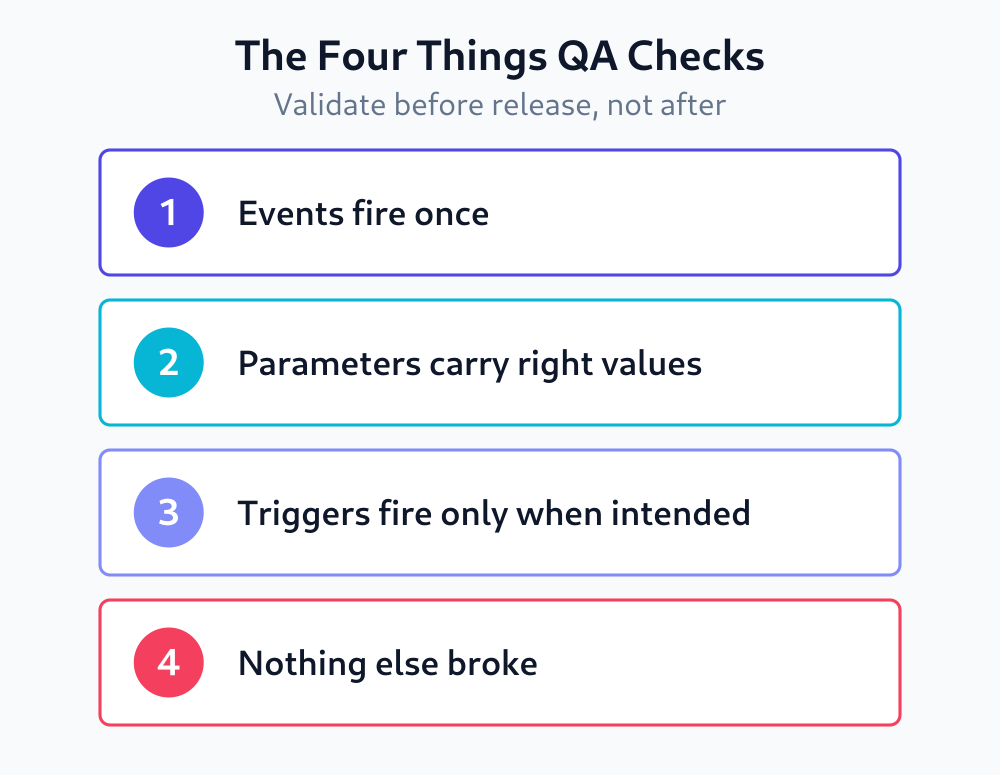
Every analytics QA pass, no matter how small the change, verifies four things. Skip one and you ship a class of bug.
- Fires once — The event triggers exactly one time per intended action. Duplicate fires are the most common and most damaging tracking bug.
- Correct payload — Every parameter carries the right value in the right type. A
valueof"19.99"as a string when GA4 expects a number quietly breaks revenue reporting. - Right trigger conditions — The event fires only where it should. A “purchase” event that also fires on the cart page is worse than no event at all.
- No collateral damage — Existing events still fire correctly. A new tag should not silently break the three tags that were already working.
If you only check one thing, check that events fire exactly once. Duplicate firing inflates every downstream number and is invisible in standard reports.
The QA Process Step by Step
Step 1: Test against your tracking plan, not your memory
QA needs a reference for “correct.” That reference is your tracking plan — it already specifies the event name, the parameters, and the trigger conditions. QA is simply confirming reality matches the spec. Without a plan, you are testing against opinion.
Step 2: Validate in a debug environment first
Never test on live production data. Use a preview or debug environment so your test events do not pollute real reports. In the Google ecosystem, Tag Manager preview mode lets you trigger actions and watch exactly which tags fire, in what order, with what data — before anything is published.
Step 3: Watch the event in real time
Trigger the user action and confirm the event arrives correctly. GA4’s DebugView shows events as they happen, with their full parameter payload. Perform the action once and confirm one event lands with the expected values. Perform a related action that should not fire it, and confirm silence.
Step 4: Test the negative cases
Good QA proves the event fires when it should and stays quiet when it should not. Click the button on the wrong page. Submit the form with an error. The most expensive bugs are events firing in conditions nobody thought to test, so test the conditions that should produce nothing.
Step 5: Confirm nothing else broke
Before approving, spot-check the events that were already working. Deploying a new tag occasionally disturbs an existing trigger. A 30-second regression check on your top three events catches that.
A Repeatable QA Checklist
The point of a checklist is that QA stops depending on who happens to do it. Run the same gate on every tag change:
| Check | Pass condition |
|---|---|
| Event fires | Appears in DebugView on the intended action |
| Fires once | Exactly one event per action, no duplicates |
| Event name | Matches the tracking plan exactly |
| Parameters present | All required parameters included |
| Parameter types | Numbers are numbers, strings are strings |
| Trigger isolation | Does not fire on unintended pages or actions |
| No regressions | Existing key events still fire correctly |
Make this gate non-optional. A tag change that has not cleared the checklist does not ship — the same way code does not merge without review.
Where QA Fits in Governance
Analytics QA is not a solo heroics task; it is a step in your release process. In my experience, the teams with trustworthy data treat a tracking change exactly like a code change: it gets specified, built, reviewed, and tested before release. QA is the test stage of that pipeline.
Tie it to your broader data layer standards so the QA reviewer knows the naming and structure they are validating against. The stronger your upstream documentation, the faster and more reliable QA becomes — you are checking against a clear spec instead of guessing what “correct” looks like.
Treat every tracking change like a deploy: spec it, test it in preview, prove the negative cases, then ship. Bad data is far cheaper to prevent than to explain.
Frequently Asked Questions
What is the difference between analytics QA and an analytics audit?
QA is preventive and happens before a change goes live — it validates that a specific tracking change works as intended. An audit is retrospective and happens after a setup has been running — it finds problems that have already accumulated across the whole property. You need both: QA stops new bad data, audits catch what slipped through.
How do I test analytics changes without polluting real data?
Use a debug or preview environment. Google Tag Manager preview mode and GA4 DebugView let you trigger actions and inspect the events they produce without those test events appearing in your standard reports. Always validate there before publishing the change to production.
What is the most common tracking bug QA catches?
Duplicate event firing. A single user action that fires the same event two or three times inflates every downstream metric — conversions, engagement, revenue — and it is invisible in standard reports because the numbers simply look higher. Confirming each event fires exactly once is the highest-value QA check.
Do I need a tracking plan to do analytics QA?
Effectively, yes. QA confirms that reality matches an intended specification, and the tracking plan is that specification. Without one, you are testing against memory and opinion, which means two reviewers can reach different conclusions about the same tag. The plan gives QA an objective definition of “correct.”

Marketing strategist turned measurement consultant. After 9 years bridging the gap between marketers who need data and analysts who need structure, I started WebStatsPolicy to make analytics standards accessible to everyone. Because good measurement shouldn't require a PhD — just clear rules and the right tools.