What Is a Tracking Plan and Why Your Team Needs One
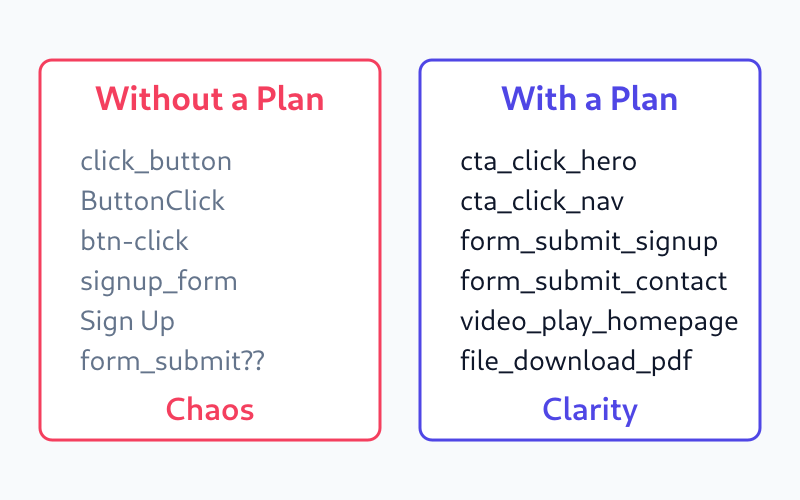
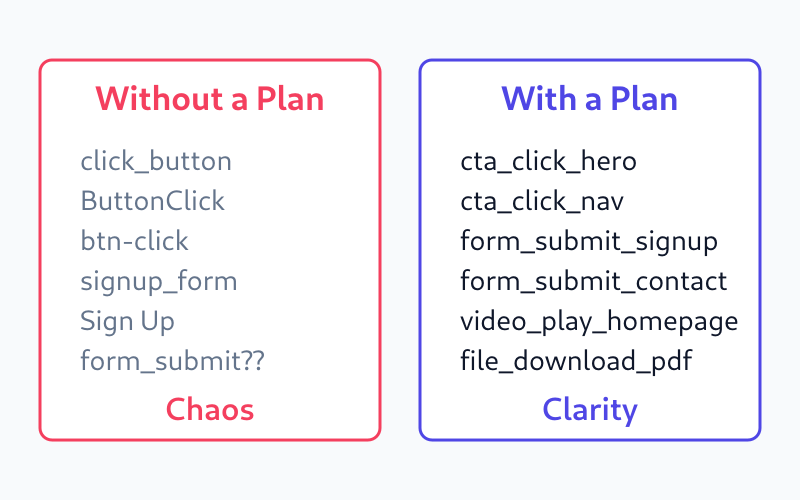
Your team is firing events in GA4, but nobody can agree on what each one means. Marketing asks for a “sign-up conversion” report. The developer says it is called form_submit. The analyst finds three variations in the data. Six months of tracking, and no one trusts the numbers.
This is what happens without a tracking plan. A tracking plan is a single document that records every event, every parameter, and every trigger in your analytics setup. It is the contract between the people who request data and the people who implement it.
Key Takeaways: A tracking plan documents every event your site or app sends to GA4. It includes event names, parameters, trigger conditions, and owners. Without one, data quality degrades fast. Start by listing the business questions you need analytics to answer, then map events to those questions. Keep the plan in a shared spreadsheet and review it quarterly.
What Is a Tracking Plan?
A tracking plan is a structured document — usually a spreadsheet — that lists every analytics event your product sends. For each event, it records the name, a human-readable description, the parameters it carries, the conditions that trigger it, and who owns it.
Think of it as a blueprint. A developer cannot build a house without blueprints. And you should not build an analytics implementation without a tracking plan.
Google documents recommended events for GA4 — things like purchase, sign_up, and add_to_cart. A tracking plan takes that further. It includes your custom events, your specific parameters, and the exact conditions under which each event should fire.
What Goes Into a Tracking Plan
Every tracking plan needs three categories of information: events, parameters, and triggers.
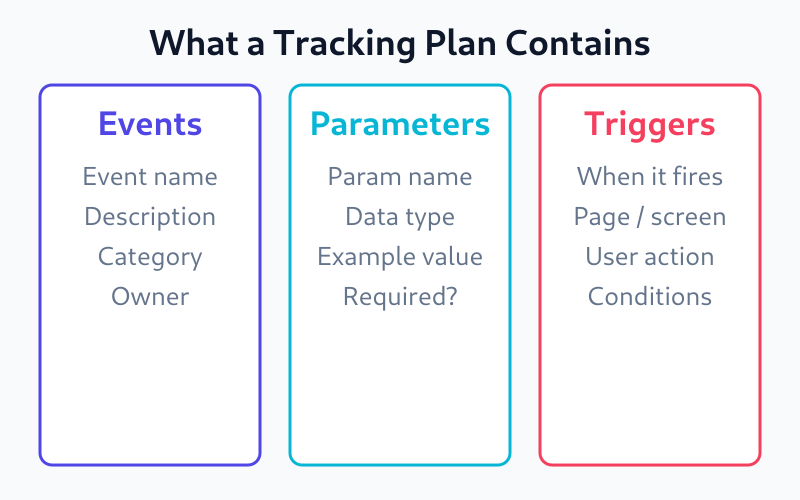
Events are the core. Each row should have the event name (following your naming conventions), a plain-English description, and the category it belongs to (engagement, conversion, navigation).
Parameters give events context. The event purchase is meaningless without transaction_id, value, and currency. Your plan should list each parameter’s name, its data type (string, number, boolean), an example value, and whether it is required or optional.
Triggers define when events fire. “On button click” is not specific enough. Your plan should say: “Fires when the user clicks the primary CTA button on the pricing page, but only for logged-in users.” The more precise the trigger, the fewer implementation bugs.
Who Uses a Tracking Plan
A tracking plan is not just a developer document. Three roles depend on it, and all three need to contribute.
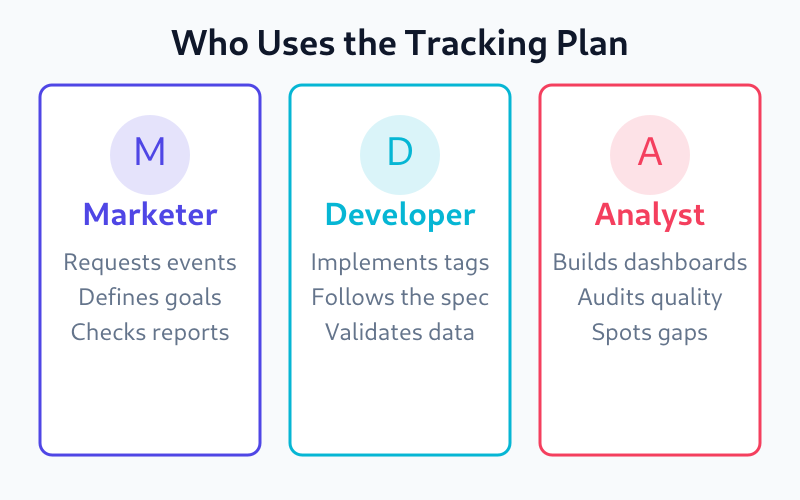
Marketers define what needs to be tracked. They know which campaigns and conversions matter. They write the business requirements that feed into the plan.
Developers implement the events based on the plan. Without it, they guess. And guessing leads to the naming inconsistencies that break reports.
Analysts use the plan to verify data quality. When a dashboard number looks wrong, the analyst checks the tracking plan to understand what should be happening, then compares that to what is actually firing.
What Happens Without One
I have seen the same pattern in dozens of GA4 implementations. A team starts tracking without a plan. Within three months, the data is unreliable.
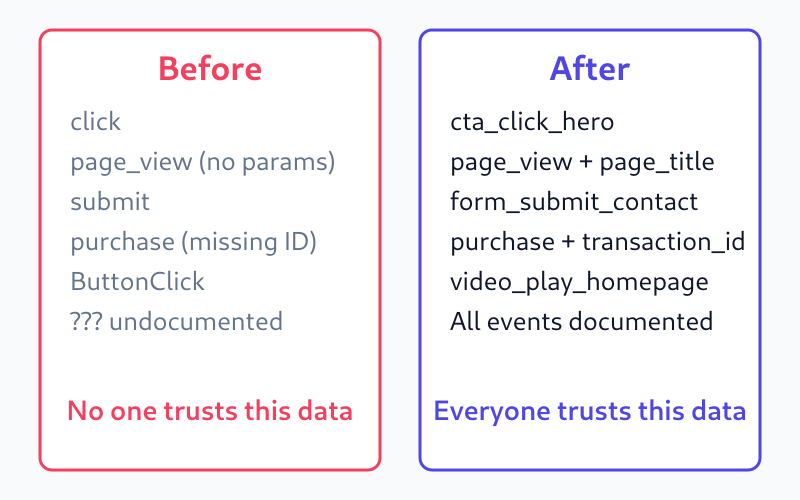
Common symptoms include duplicate events with different names, missing parameters on important conversions, events firing on the wrong pages, and nobody knowing which events are still active versus deprecated. These problems compound. By the time someone notices, six months of data may be compromised.
How to Build a Tracking Plan in 4 Steps
You do not need special tools. A shared Google Sheet works. Here is how to get started.
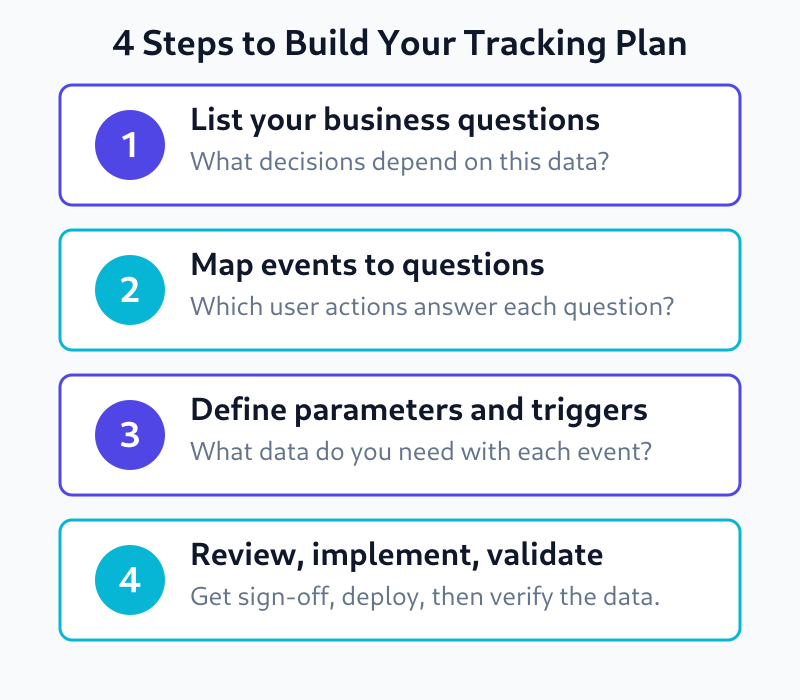
Step 1: List your business questions
Before you write a single event name, write down the questions your team needs analytics to answer. Examples: “Which landing pages drive the most sign-ups?” or “Where do users drop off in the checkout flow?” These questions determine what you track.
Step 2: Map events to questions
For each question, identify the user actions you need to measure. “Which landing pages drive sign-ups” requires a form_submit_signup event with a page_location parameter. Work backwards from the question to the event.
Step 3: Define parameters and triggers
For each event, document the parameters it needs and the exact conditions that trigger it. Be specific. Reference the GA4 event reference for recommended parameter names — use Google’s standard names where possible before inventing custom ones.
Step 4: Review, implement, validate
Get the plan reviewed by all three roles: marketing, development, and analytics. Then implement using Google Tag Manager or your tag management system. After deployment, validate that the data flowing into GA4 matches what the plan specifies. Use GA4 DebugView to check events in real time.
Keeping the Plan Alive
A tracking plan is only useful if it stays current. Review it quarterly at minimum. Every time someone adds a new feature, a new campaign, or a new conversion goal, the plan should be updated before implementation begins.
Assign an owner. One person — usually the analyst or a data-focused marketer — should be responsible for keeping the plan accurate. If everyone owns it, no one owns it.
Link the plan to your UTM naming conventions. Campaign tracking and event tracking are two sides of the same system. When both follow documented standards, your data tells a coherent story.
Frequently Asked Questions
What format should a tracking plan use?
A shared spreadsheet is the most practical format. Use tabs to separate event categories (engagement, conversion, ecommerce). Each row is one event. Columns include event name, description, parameters, trigger conditions, owner, and implementation status. Keep it simple — an overly complex plan will not get updated.
How often should you update a tracking plan?
Review the plan quarterly and update it any time you add new features, launch new campaigns, or change your conversion goals. Every new event should be added to the plan before it is implemented, not after.
Do small sites need a tracking plan?
Yes. Even if you only track five custom events, a tracking plan prevents confusion. It takes 30 minutes to create a basic plan. Compare that to the hours you will spend diagnosing data quality issues without one.
What is the difference between a tracking plan and a measurement plan?
A measurement plan is higher-level. It defines your business objectives, KPIs, and the metrics that matter. A tracking plan is the technical specification — the exact events, parameters, and triggers that implement the measurement plan. You need both, but the tracking plan is where the implementation details live.

Marketing strategist turned measurement consultant. After 9 years bridging the gap between marketers who need data and analysts who need structure, I started WebStatsPolicy to make analytics standards accessible to everyone. Because good measurement shouldn't require a PhD — just clear rules and the right tools.