Data Layer Naming Conventions: The Standard for Clean GTM Implementations
Every messy Google Tag Manager implementation I have audited shares the same root problem: no standard for the data layer. Developers push objects with keys like product_name, ProductName, and product-name — sometimes on the same page. GTM reads exactly what you give it. If the data layer is inconsistent, your tags, triggers, and variables inherit that mess.
This article gives you a practical data layer naming convention you can hand to your development team today. It covers key naming rules, object structure, and the specific patterns that keep GTM implementations clean over time.
Key Takeaways: Use camelCase for all data layer keys. Use snake_case for event names to match GA4 conventions. Keep keys descriptive — no abbreviations. Define your data layer schema before writing any code. A consistent data layer is the foundation of every reliable GTM setup.
What Is the Data Layer and Why Does Naming Matter?
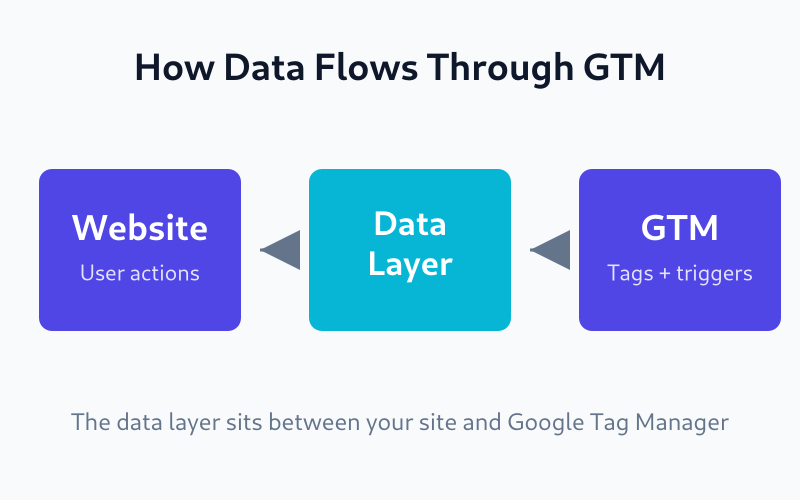
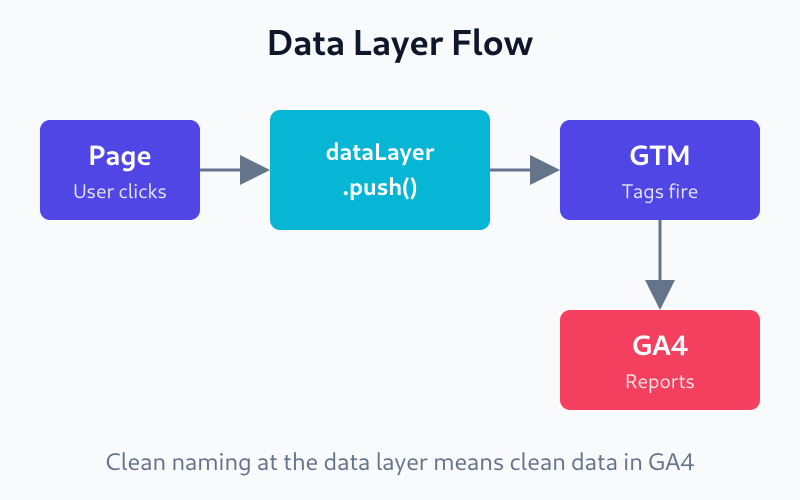
The data layer is a JavaScript array that acts as a bridge between your website and Google Tag Manager. When something happens on your site — a page loads, a user clicks a button, a purchase completes — your code pushes an object into this array. GTM listens for these pushes and fires tags based on what it receives.
The problem is that GTM treats productName and product_name as two completely different variables. If your checkout page pushes productName but your GTM variable is configured to read product_name, the tag fires with empty data. No error message. No warning. Just missing data in your analytics reports.
This is the same class of problem I covered in 5 event naming mistakes that break your GA4 reports — inconsistency at the naming level creates data quality issues that compound over time. The fix is a documented naming standard that everyone follows.
The Data Layer Naming Standard
Here is the standard. It has two rules for key naming and one rule for event naming.
Rule 1: Use camelCase for All Data Layer Keys
Every key in your data layer objects should use camelCase. First word lowercase, capitalize the first letter of each subsequent word, no spaces or special characters.
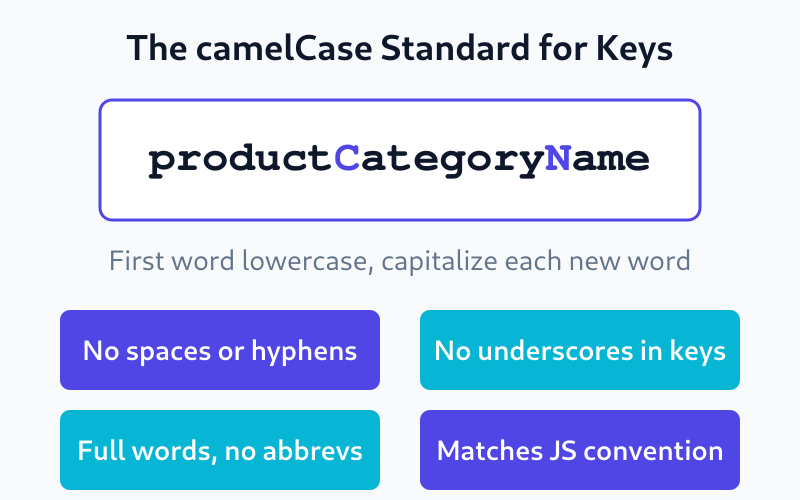
Why camelCase and not snake_case? Because the data layer is a JavaScript object. JavaScript convention is camelCase. Your developers already write firstName, getElementById, and addEventListener — the data layer should match. Google’s own data layer documentation uses camelCase in its examples.
Note: this is different from GA4 event names, which use snake_case. The data layer keys and GA4 event names serve different purposes and follow different conventions. Do not conflate them.
Rule 2: Use Full, Descriptive Words
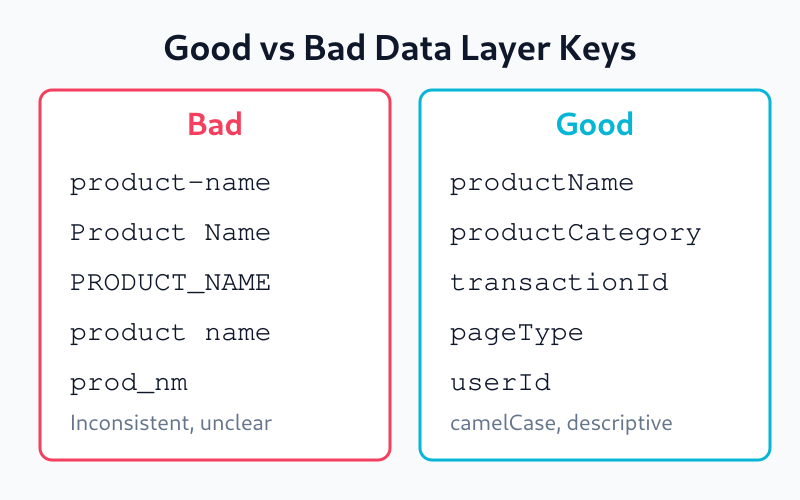
Do not abbreviate. Write transactionTotal, not txnTot. Write productCategory, not prodCat. Abbreviations save a few characters and cost hours of debugging when a new team member cannot figure out what pgTyp means.
Good key names describe exactly what they contain:
| Bad | Good | Why |
|---|---|---|
txnId |
transactionId |
Immediately clear |
prodCat |
productCategory |
No guessing required |
pgTyp |
pageType |
Self-documenting |
amt |
transactionTotal |
Specific and unambiguous |
Rule 3: Use snake_case for Event Names
The event key is special. Its value is a string that GTM uses to fire triggers. For event names, use snake_case to stay consistent with GA4’s recommended event naming. This means lowercase letters separated by underscores: purchase, add_to_cart, form_submit.
This might seem contradictory — camelCase for keys, snake_case for event values. But the logic is sound. Keys are JavaScript identifiers (camelCase is the JS standard). Event values are strings that map to GA4 events (snake_case is the GA4 standard). Each follows the convention of its destination.
Data Layer Object Structure
Every data layer push should follow the same structure: an event key followed by the relevant parameters.
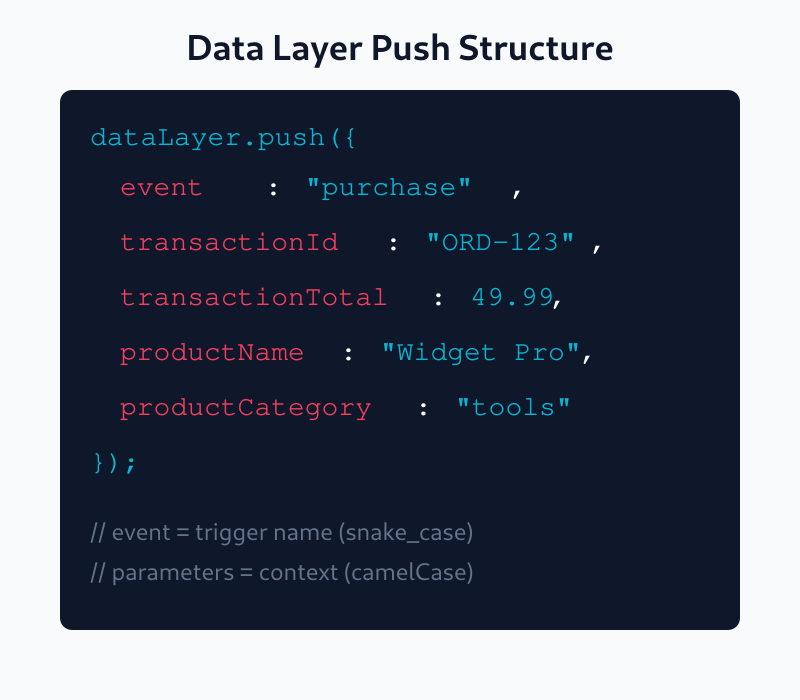
Here are the conventions for structuring your pushes:
- Always include an event key. Without it, GTM has no trigger to listen for. Page-load data is the one exception — you can push variables without an event if they are set before GTM loads.
- Keep objects flat. Avoid deeply nested structures unless you have a specific reason (like ecommerce item arrays). Flat objects are easier to read in GTM’s data layer variable configuration.
- One push per action. Do not bundle unrelated data into a single push. A purchase event should contain purchase data. A form submission event should contain form data. Separate concerns.
- Use consistent types. If
transactionTotalis a number on the checkout page, it should be a number on the confirmation page too. Do not switch between49.99and"49.99".
Common Data Layer Patterns
Here are the data layer pushes I include in almost every implementation. Use these as a starting point for your own schema.
Page-Level Data
Push this on every page before GTM loads:
window.dataLayer = window.dataLayer || [];
dataLayer.push({
  pageType: "product",
  pageCategory: "electronics",
  userLoggedIn: true,
  userId: "USR-4821"
});
Ecommerce Purchase
dataLayer.push({
  event: "purchase",
  transactionId: "ORD-7842",
  transactionTotal: 129.99,
  transactionCurrency: "USD",
  items: [{
    itemName: "Wireless Headphones",
    itemCategory: "electronics",
    itemPrice: 129.99,
    itemQuantity: 1
  }]
});
Form Submission
dataLayer.push({
  event: "form_submit",
  formId: "contact-us",
  formName: "Contact Form",
  formLocation: "footer"
});
Notice the pattern. Every push has the same structure. Event names are snake_case. Keys are camelCase. Values are descriptive. A new developer can read these and understand what is happening without asking anyone.
How to Enforce the Standard
A naming convention that lives in a document but not in practice is worthless. Here is how to make it stick.
Document the schema first. Before any code is written, create a spreadsheet listing every data layer push: the event name, the keys, the expected data types, and which pages use it. This is your data layer specification. I covered a similar approach for UTM parameters — the same principle applies here.
Use a validation layer. Add a JavaScript function that checks each dataLayer.push() against your schema. If a key does not match the expected format, log a warning to the console during development. This catches typos before they reach production.
Review in GTM Preview mode. Google Tag Manager’s Preview and Debug mode shows every data layer push in real time. Use it to verify that keys match your standard before publishing any container changes.
Audit quarterly. Data layers drift. New features get added by developers who did not read the spec. Set a quarterly review to compare what is actually being pushed against your documented schema.
FAQ
Should I use camelCase or snake_case in the data layer?
Use camelCase for data layer keys (like productName and transactionId) because they are JavaScript object properties. Use snake_case for event name values (like add_to_cart) because those map to GA4 events, which follow the snake_case convention.
Does Google require a specific naming format for the data layer?
Google does not enforce a specific format for custom data layer keys. However, their documentation and examples consistently use camelCase. Following this convention ensures compatibility with GTM’s built-in variables and reduces confusion when referencing Google’s documentation.
How do I fix an existing data layer that uses inconsistent naming?
Start by auditing what is currently being pushed. Use GTM Preview mode to capture all data layer events across your key pages. Document every key and its variations. Then create your naming standard and update the code page by page, starting with your highest-traffic pages. Update your GTM variables to match the new keys at the same time.
Can I use the same data layer key names as GA4 event parameters?
You can, but you do not have to. GTM sits between the data layer and GA4, which means you can map any data layer key to any GA4 parameter. That said, keeping names similar reduces confusion. If your data layer key is transactionId, mapping it to the GA4 parameter transaction_id is intuitive and easy to maintain.

Marketing strategist turned measurement consultant. After 9 years bridging the gap between marketers who need data and analysts who need structure, I started WebStatsPolicy to make analytics standards accessible to everyone. Because good measurement shouldn't require a PhD — just clear rules and the right tools.