Server-Side Tagging: What It Is and When You Actually Need It
Every analytics vendor wants you to add their JavaScript tag to your site. Each one fires in the visitor’s browser, slows things down, and sends data to third-party servers you do not control. When privacy regulations tighten or ad blockers get smarter, those tags start failing — and your data goes with them.
Server-side tagging is the alternative. Instead of running tracking scripts in the browser, you route data through your own server first. This article explains how it works, what it actually costs, and whether your setup needs it right now.
Key Takeaways: Server-side tagging moves data collection from the browser to a server you control. It improves page speed, gives you privacy control over outbound data, and reduces the impact of ad blockers. But it adds infrastructure cost and complexity. Most small sites do not need it yet. If you handle EU traffic, process PII, or rely on multiple third-party tags, it is worth the investment.
How Client-Side Tagging Works (the Default)
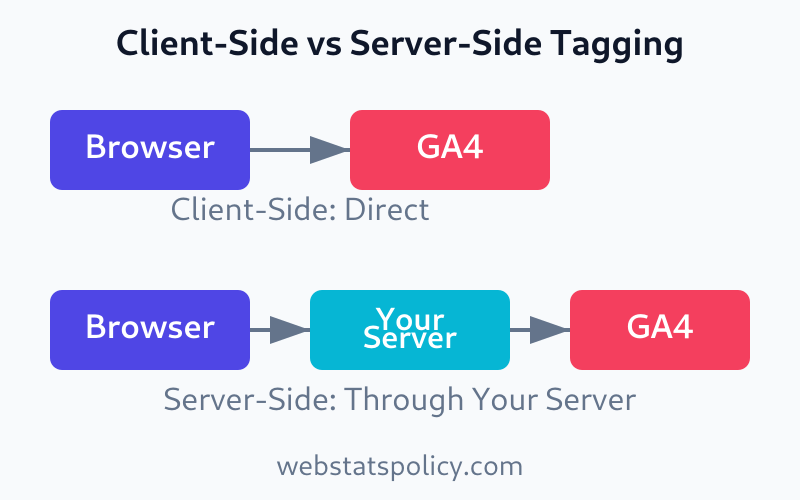
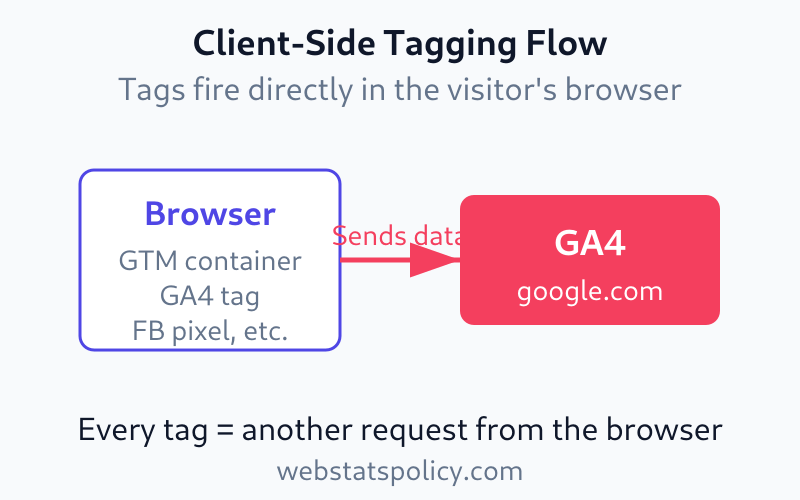
When you add Google Analytics, a Meta pixel, or any other tracking tool using Google Tag Manager, you are doing client-side tagging. The process looks like this:
- Visitor loads your page.
- Their browser downloads the GTM container JavaScript.
- GTM fires each tag — GA4, Facebook, LinkedIn, etc.
- Each tag sends a separate request from the browser to its vendor.
This works. Millions of sites use it. But every tag adds weight to the page. More tags means slower load times. And every request goes directly from the user’s browser to a third-party domain, which ad blockers and privacy browsers increasingly intercept.
How Server-Side Tagging Works
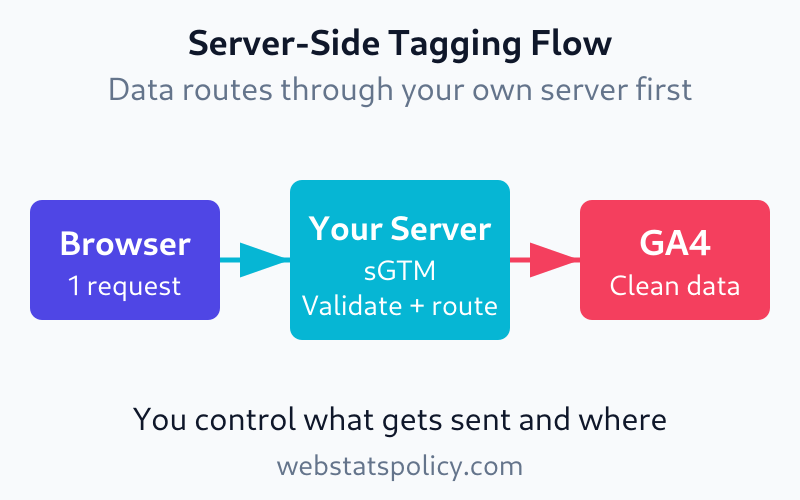
Server-side tagging adds a middle step. Instead of sending data from the browser to each vendor, you send one request from the browser to your server. Your server then decides what data goes where.
In practice with Google Tag Manager, this means:
- Visitor loads your page.
- The browser sends one request to your server-side GTM endpoint (running on your domain).
- Your server-side container processes the data — validates it, strips PII if needed, enriches it.
- Your server forwards clean data to GA4, ad platforms, or wherever else it needs to go.
The browser makes fewer requests. The heavy lifting happens on your server. You see and control every piece of data before it leaves your infrastructure.
What Server-Side Tagging Actually Gets You
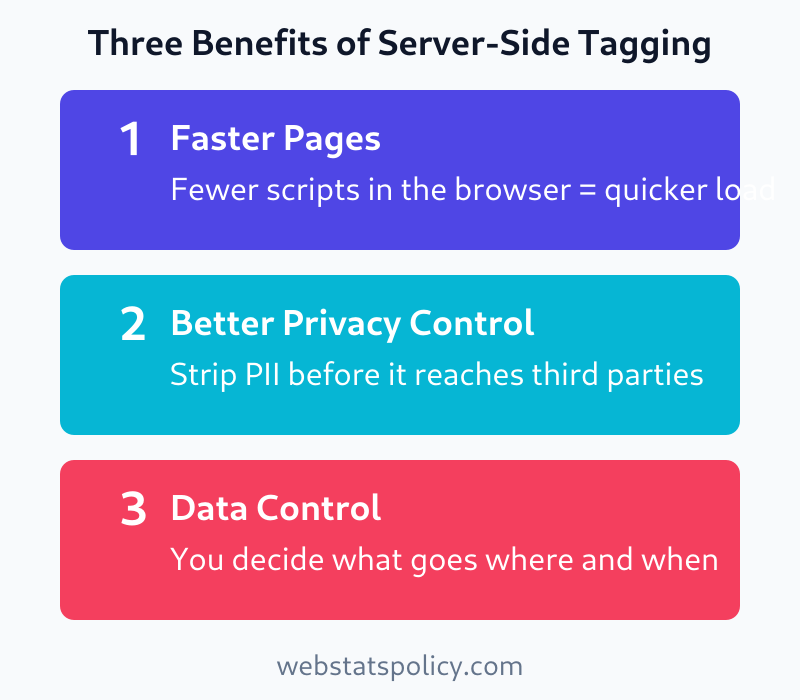
There are three practical benefits worth caring about.
1. Faster Page Loads
Fewer scripts in the browser means less work for the visitor’s device. If you currently load five or six third-party tags, moving them server-side can meaningfully improve your Core Web Vitals. Google has documented this benefit in their server-side tagging documentation.
2. Privacy and Data Control
With client-side tags, data goes straight from the browser to the vendor. You cannot inspect or modify it in transit. With server-side tagging, every data point passes through your server. You can strip email addresses, IP addresses, or any personally identifiable information before forwarding it. This is especially important under GDPR and other privacy regulations. If you are still getting your naming conventions in order, server-side tagging gives you another layer of control over what leaves your domain.
3. Resilience Against Ad Blockers
Ad blockers work by intercepting requests to known tracking domains like google-analytics.com. With server-side tagging, the browser only talks to your own domain. Ad blockers cannot easily distinguish your analytics endpoint from your regular website traffic. This does not mean you should bypass consent — it means your data collection works reliably for users who have consented.
When You Probably Do Not Need It
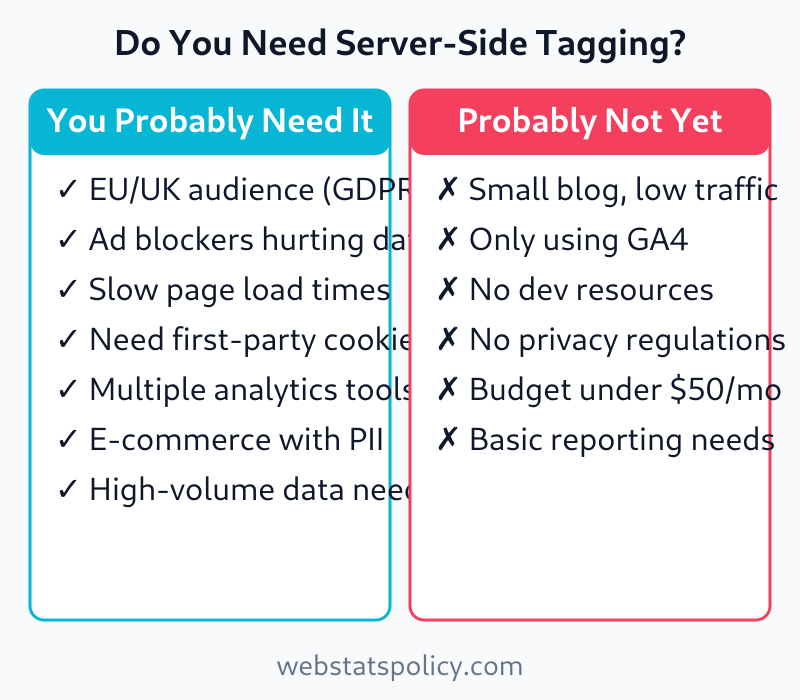
Server-side tagging is not free. Google’s server-side GTM runs on Google Cloud, and Google Cloud Run hosting costs roughly $40–120 per month for moderate traffic. You also need someone technical to set it up and maintain it.
If your situation looks like this, client-side tagging is probably still fine:
- Small blog or brochure site with low traffic.
- You only use GA4 — no other third-party tags.
- Your audience is mostly outside GDPR jurisdictions.
- You do not have a developer who can maintain a server container.
- Your budget does not support an extra $50–120 per month.
There is no shame in client-side tagging done well. Clean event naming and proper consent management matter more than where your tags fire from.
When You Should Seriously Consider It
Server-side tagging becomes worth the cost when:
- You serve EU or UK visitors. GDPR requires you to control where personal data goes. A server-side container gives you that control point.
- Ad blockers are costing you data. If you see a significant gap between your server logs and GA4 reports, ad blockers are likely the cause.
- You run multiple third-party tags. Five or more tags in the browser is a clear signal. Move the heavy ones server-side.
- You handle PII in your data layer. E-commerce sites passing email or phone for conversion tracking should absolutely route that through a server first.
- First-party cookies matter to you. Server-side tagging lets you set cookies from your own domain, which browsers treat with longer lifespans than third-party cookies.
How to Get Started
If you decide server-side tagging makes sense, here is the practical path:
- Set up a server-side GTM container. Google provides a step-by-step guide for deploying on Cloud Run.
- Map your subdomain. Point something like
collect.yourdomain.comto your server container. This is what makes it first-party. - Start with GA4 only. Do not move everything at once. Get GA4 working through your server container, verify the data matches, then add other tags.
- Test in parallel. Run both client-side and server-side GA4 for two weeks. Compare the numbers. Only remove the client-side tag once you trust the server-side data.
The migration does not have to be all-or-nothing. Many teams run a hybrid setup permanently — some tags client-side, others server-side.
Frequently Asked Questions
Does server-side tagging replace Google Tag Manager?
No. Server-side tagging uses a server-side GTM container that works alongside your existing client-side container. You still need the client-side container to collect data from the browser. The server-side container handles what happens to that data next.
How much does server-side tagging cost?
The server-side GTM container itself is free. The hosting is not. Running it on Google Cloud typically costs $40–120 per month depending on traffic. Some providers offer managed server-side tagging at similar price points with less technical overhead.
Will server-side tagging fix my data quality issues?
Only partially. Server-side tagging helps with data lost to ad blockers and gives you a place to validate data before it reaches analytics. But it does not fix bad event names, missing parameters, or broken implementations. Fix your naming conventions and tracking setup first — then add the server-side layer.
Can I use server-side tagging without Google Cloud?
Yes. While Google’s documentation focuses on Cloud Run, the server-side GTM container runs as a Docker image. You can deploy it on AWS, Azure, or any hosting that supports Docker containers. Some third-party platforms like Stape.io offer turnkey hosting specifically for server-side GTM.

Marketing strategist turned measurement consultant. After 9 years bridging the gap between marketers who need data and analysts who need structure, I started WebStatsPolicy to make analytics standards accessible to everyone. Because good measurement shouldn't require a PhD — just clear rules and the right tools.