UTM Naming Conventions: A Simple Standard Your Team Can Follow
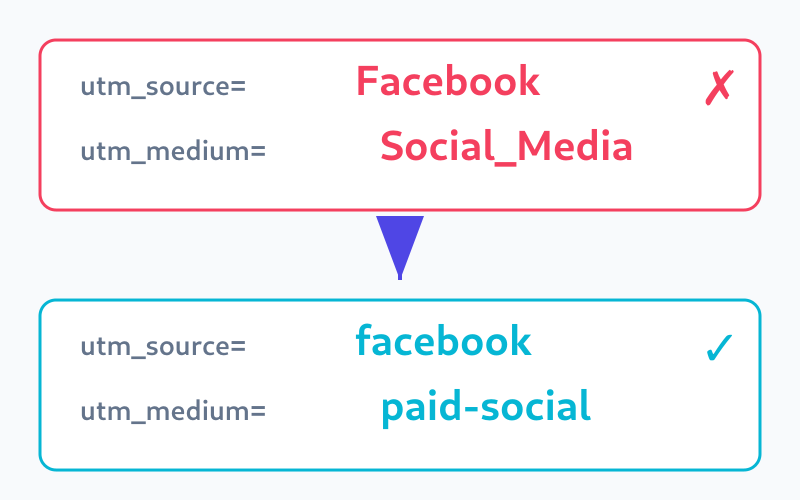
UTM parameters only work if everyone on your team uses the same rules. Without a shared UTM naming convention, your campaign data turns into a mess of inconsistent labels, duplicate sources, and reports nobody trusts.
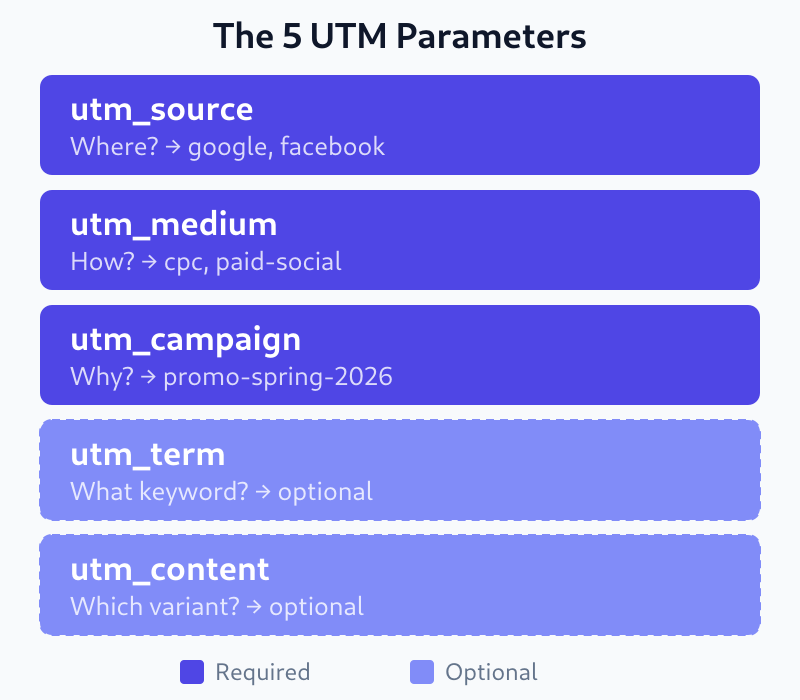
This article defines a practical UTM naming standard you can adopt today. It covers the five standard parameters, provides a ready-to-use taxonomy, and shows good versus bad examples. This is for marketers, analysts, and anyone who tags campaign URLs.
Key Takeaways: Use lowercase only. Separate words with hyphens. Stick to a controlled vocabulary for
utm_source,utm_medium, andutm_campaign. Document your rules in a shared reference. Review compliance monthly.
What Are UTM Naming Conventions?
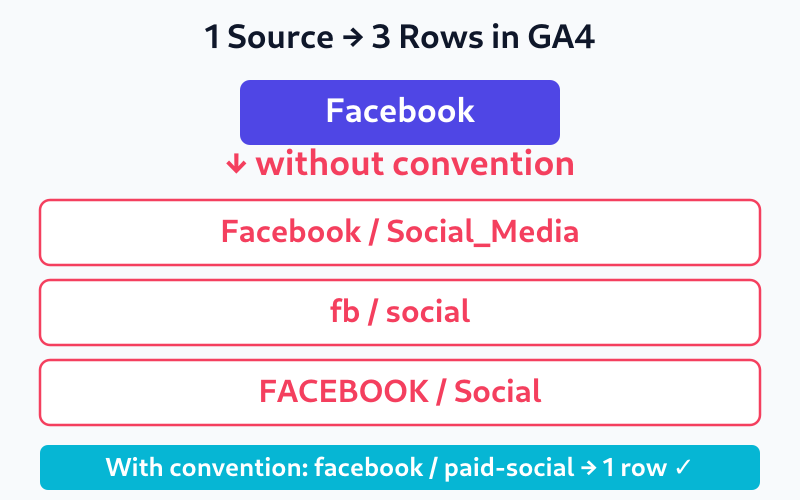
A UTM naming convention is a set of rules that defines how your team fills in the five UTM parameters: utm_source, utm_medium, utm_campaign, utm_term, and utm_content. The goal is consistency — so that “Facebook,” “facebook,” “fb,” and “FB” do not appear as four separate sources in your analytics.
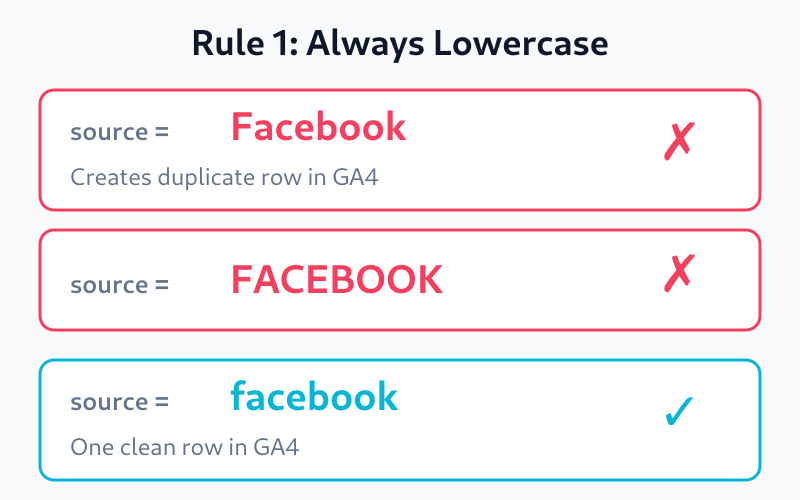
Google Analytics 4 treats UTM values as case-sensitive. That means utm_source=Facebook and utm_source=facebook create two different rows in your reports. A naming convention eliminates this problem before it starts.
The Standard: Five Rules for Clean UTM Parameters
These five rules form the foundation of a reliable UTM taxonomy. They are simple enough to memorize and strict enough to prevent data fragmentation.
Rule 1: Lowercase everything
Always use lowercase for all UTM values. No exceptions. This single rule prevents the most common UTM problem — case duplication.
| Bad | Good |
|---|---|
utm_source=Facebook |
utm_source=facebook |
utm_medium=Email |
utm_medium=email |
utm_campaign=Spring_Sale |
utm_campaign=spring-sale |
Rule 2: Use hyphens as separators
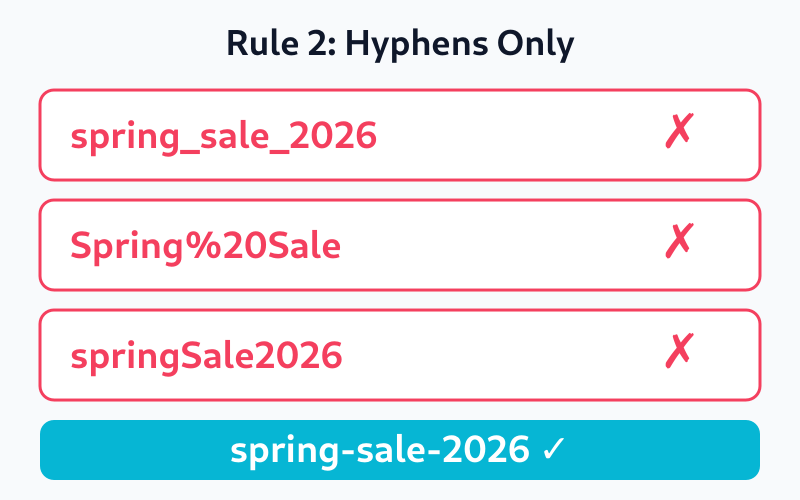
Separate words with hyphens (-), not underscores, spaces, or camelCase. Hyphens are URL-safe, readable, and consistent with how Google treats URL slugs.
| Bad | Good |
|---|---|
spring_sale_2026 |
spring-sale-2026 |
Spring%20Sale |
spring-sale |
springSale2026 |
spring-sale-2026 |
Rule 3: Use a controlled vocabulary for source and medium
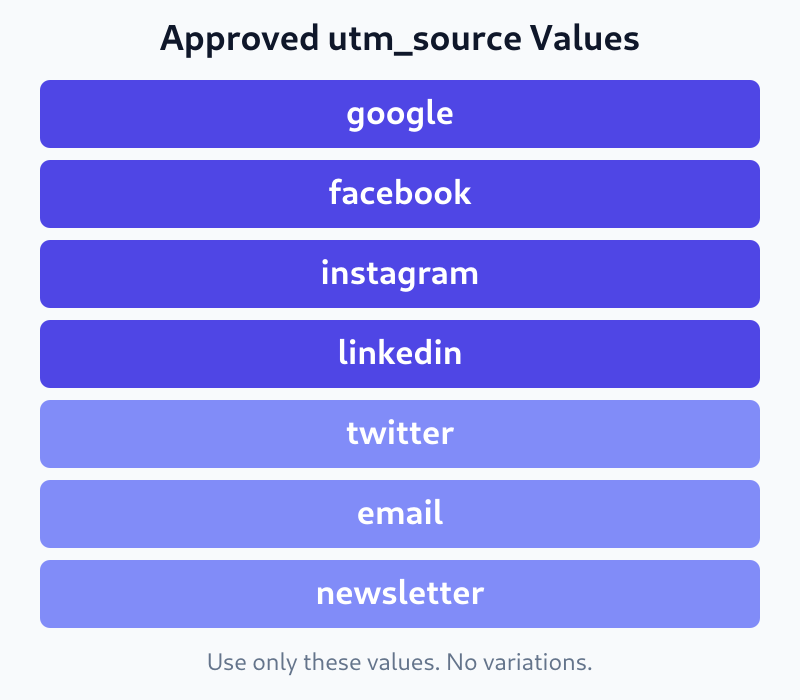
Do not let people invent new values for utm_source and utm_medium. Maintain a fixed list. Here is a starting point based on Google’s default channel grouping rules:
Approved utm_source values
| Source | Use for |
|---|---|
google |
Google Ads, Google organic |
facebook |
Facebook / Meta Ads and organic posts |
instagram |
Instagram Ads and organic |
linkedin |
LinkedIn Ads and organic |
twitter |
X / Twitter |
email |
Email campaigns (when source is your own list) |
newsletter |
Newsletter specifically |
partner-name |
Specific partner or affiliate |
Approved utm_medium values
| Medium | Maps to GA4 channel |
|---|---|
cpc |
Paid Search |
paid-social |
Paid Social |
organic-social |
Organic Social |
email |
|
affiliate |
Affiliates |
referral |
Referral |
display |
Display |
video |
Video |
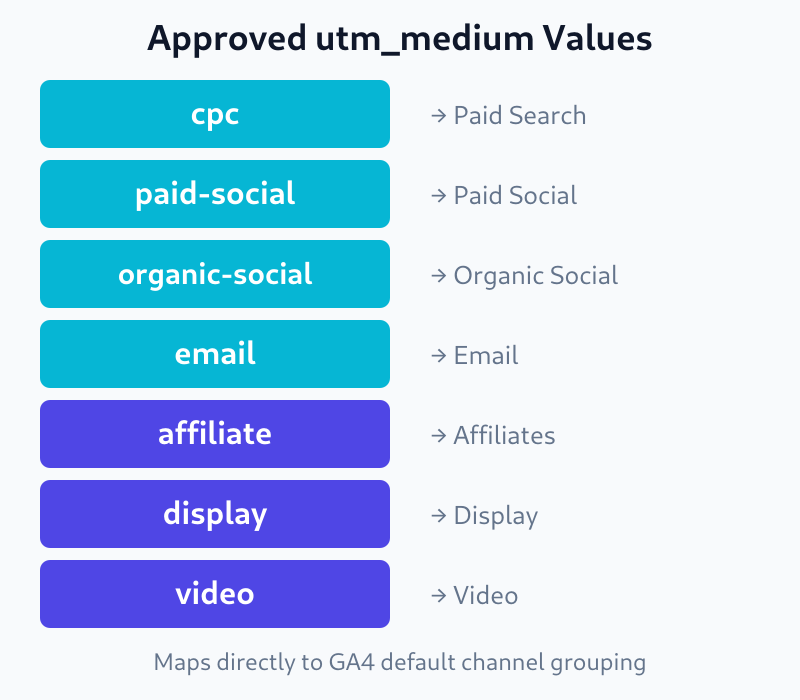
These medium values align with GA4’s default channel grouping, which means your campaigns automatically appear in the correct channel without custom configuration.
Rule 4: Structure campaign names with a consistent pattern
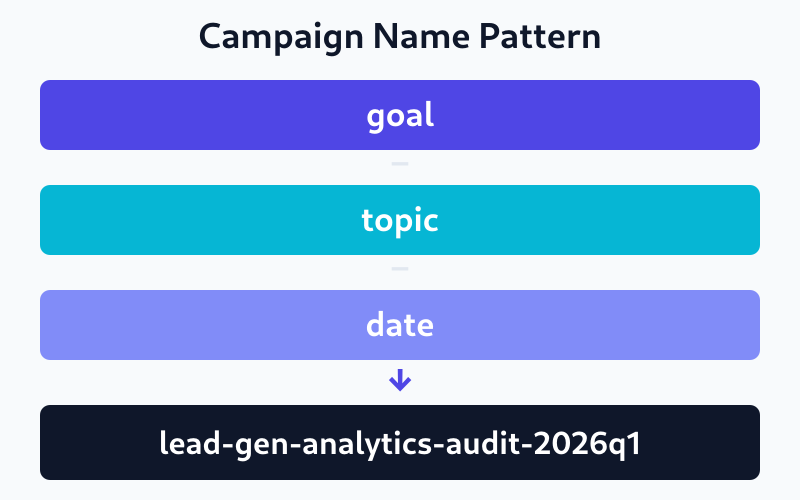
The utm_campaign parameter needs a naming pattern. I recommend this format:
[goal]-[topic]-[date]-[variant]
Examples:
| Campaign name | Breakdown |
|---|---|
lead-gen-analytics-audit-2026q1-a |
Goal: lead-gen, Topic: analytics-audit, Date: 2026q1, Variant: a |
awareness-utm-guide-202602 |
Goal: awareness, Topic: utm-guide, Date: Feb 2026 |
promo-black-friday-202611-email |
Goal: promo, Topic: black-friday, Date: Nov 2026, Channel: email |
The exact format matters less than consistency. Pick a pattern. Document it. Enforce it.
Rule 5: Use utm_content for A/B test variants and placement
Reserve utm_content for differentiating creatives, placements, or test variants within the same campaign. This parameter is optional but powerful for optimization.
| utm_content value | Use case |
|---|---|
hero-banner |
Placement: hero section |
sidebar-cta |
Placement: sidebar |
variant-a |
A/B test variant |
blue-button |
Creative variant |
Complete Example: A Full UTM-Tagged URL
Here is a fully tagged URL following all five rules:
https://example.com/landing/?utm_source=linkedin&utm_medium=paid-social&utm_campaign=awareness-utm-guide-202602&utm_content=carousel-ad-a
Breaking it down:
| Parameter | Value | Meaning |
|---|---|---|
utm_source |
linkedin |
Traffic from LinkedIn |
utm_medium |
paid-social |
Paid social channel |
utm_campaign |
awareness-utm-guide-202602 |
Awareness campaign, UTM guide topic, Feb 2026 |
utm_content |
carousel-ad-a |
Carousel ad format, variant A |
Common UTM Naming Mistakes
I have seen these five mistakes in nearly every marketing team that lacks a documented UTM naming standard:
- Mixed case:
Facebookvsfacebookvsfb— splits one source into three rows in your reports - Inconsistent separators: Underscores, hyphens, spaces, and camelCase all used by different team members
- Uncontrolled medium values:
social,social-media,paid_social,Social— four labels for the same thing - No campaign structure: Names like
test,new-campaign, orjohn-q1that mean nothing three months later - UTM tags on internal links: Using UTM parameters on links within your own site overwrites the original traffic source in Google Analytics 4
Warning: Never apply UTM parameters to internal links on your own website. Internal UTMs override the original session source in GA4, which breaks your attribution data. Use GA4 events to track internal navigation instead.
How to Implement This Standard
A naming convention only works if people actually follow it. Here is a four-step rollout:
- Document it. Put your rules in a shared document — Google Sheets, Notion, or your team’s standards library. Include the approved source/medium lists and the campaign naming pattern.
- Use a UTM builder tool. Do not let people type UTM parameters by hand. A builder enforces rules automatically and reduces human error.
- Audit monthly. Run a GA4 report showing all unique
source / mediumcombinations. Flag anything outside your controlled vocabulary. - Assign an owner. One person on the team owns the UTM standard. They approve new sources, resolve naming disputes, and run the monthly audit.
When to Adapt This Standard
This convention works well for teams of 3-15 people running 5-50 campaigns per quarter. Larger organizations may need these adaptations:
- Enterprise teams (50+ people): Add a region prefix to campaign names —
emea-lead-gen-webinar-2026q1 - Agencies managing multiple clients: Add a client code —
utm_campaign=acme-promo-spring-2026 - E-commerce with large catalogs: Use
utm_termfor product category or SKU
The core rules — lowercase, hyphens, controlled vocabulary — stay the same regardless of team size.
Bottom Line
A UTM naming convention is one of the highest-impact, lowest-effort improvements you can make to your marketing analytics. Five rules. One shared document. Monthly reviews. That is all it takes to go from fragmented campaign data to reports your team can trust.
Start with the standard in this article. Adapt the campaign naming pattern to your workflow. Document it, share it, and hold each other accountable.
FAQ
Are UTM parameters case-sensitive in Google Analytics 4?
Yes. GA4 treats utm_source=Facebook and utm_source=facebook as two separate sources. Always use lowercase to prevent duplicate entries in your reports.
Should I use underscores or hyphens in UTM values?
Hyphens. They are URL-safe, more readable, and consistent with web conventions. Choose one separator and enforce it across your team.
How many UTM parameters should I use?
At minimum, use utm_source, utm_medium, and utm_campaign. These three are required for correct attribution in GA4. Add utm_content for ad variants. Use utm_term for paid keywords or product categories.
Can I use UTM parameters on internal links?
No. UTM parameters on internal links overwrite the original traffic source in GA4 and corrupt your attribution. Use GA4 event tracking for internal click measurement instead.

Marketing strategist turned measurement consultant. After 9 years bridging the gap between marketers who need data and analysts who need structure, I started WebStatsPolicy to make analytics standards accessible to everyone. Because good measurement shouldn't require a PhD — just clear rules and the right tools.